🚀 Now in beta — email us for free early access

Matter Intelligence
for In-House
Legal Teams

Built for legal teams that advise internal clients in Slack. Turn conversations into tracked legal matters, AI-powered insights, and on-demand reports in seconds — without leaving the tool your team already uses.

Every matter, tracked from first message to close

Right-click a message, open a matter, confirm a few pre-filled fields — and from there, every matter is tracked, timestamped, and ready to provide actionable insights.

Open, Close, or Reopen From Any Message

Right-click any Slack message and choose Open Matter — the thread itself becomes the record, no separate intake form or copy-pasting context. Counsltrac scans the message and auto populates the intake fields. Close it the same way once it's resolved, or reopen it if something comes back.

2-Day Inactivity Alerts

If a newly-opened matter thread goes two business days without a reply or reaction, Counsltrac follows up automatically. Stalled matters get surfaced before you even have to wonder whether anyone saw your message.

5-Day Close Prompts

After five business days of inactivity, Counsltrac pings the assigned counsel and requester to confirm the matter is still active or prompts them to close it. Your active matters list stays a source of truth, not an archive of forgotten threads.

App Home Dashboard

Every user's App Home tab shows their open matters, workload, and status at a glance — attorneys see what's assigned to them, admins see the whole workspace, and everyone else sees what they've personally requested. Refreshed on demand, without ever leaving Slack.

/matters active and /matters team

One command lists your open matters, sorted by priority with clickable links straight back to the Slack thread — matters assigned to you if you're an attorney, or matters you've requested, for everyone else. /matters team shows every open matter you have visibility into across the workspace.
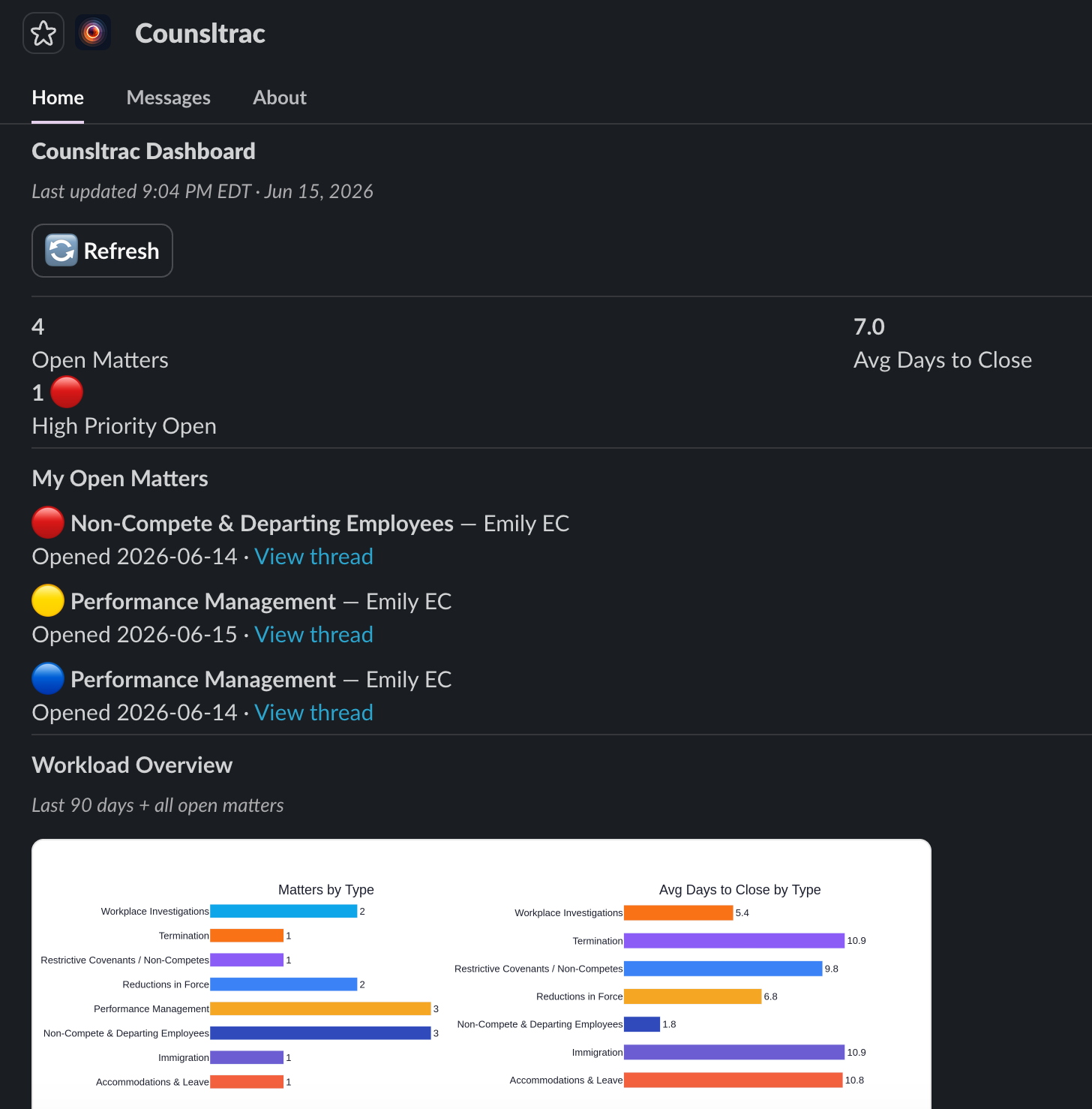
Counsltrac App Home dashboard showing KPIs and open matters, workspace-wide

App Home Dashboard — your entire docket, at a glance

/matters active command as run by an attorney, showing matters assigned to them with priority, counsel, business unit, and days open

/matters active — an attorney's assigned caseload
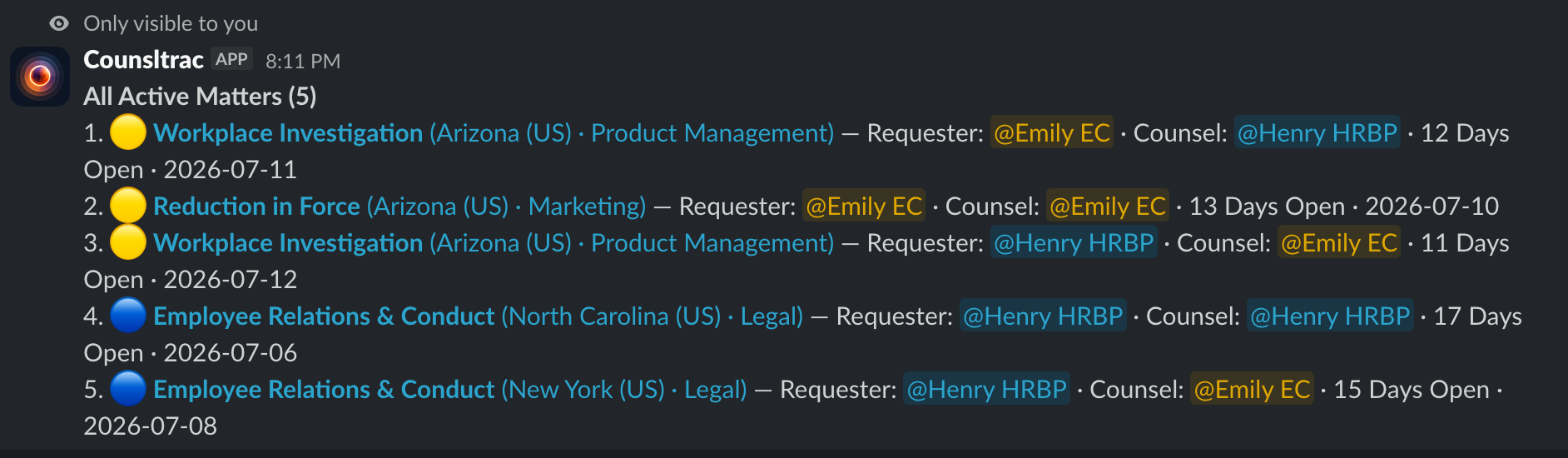
/matters team command showing every open matter the viewer has visibility into, workspace-wide

/matters team — every matter you can see, in one list
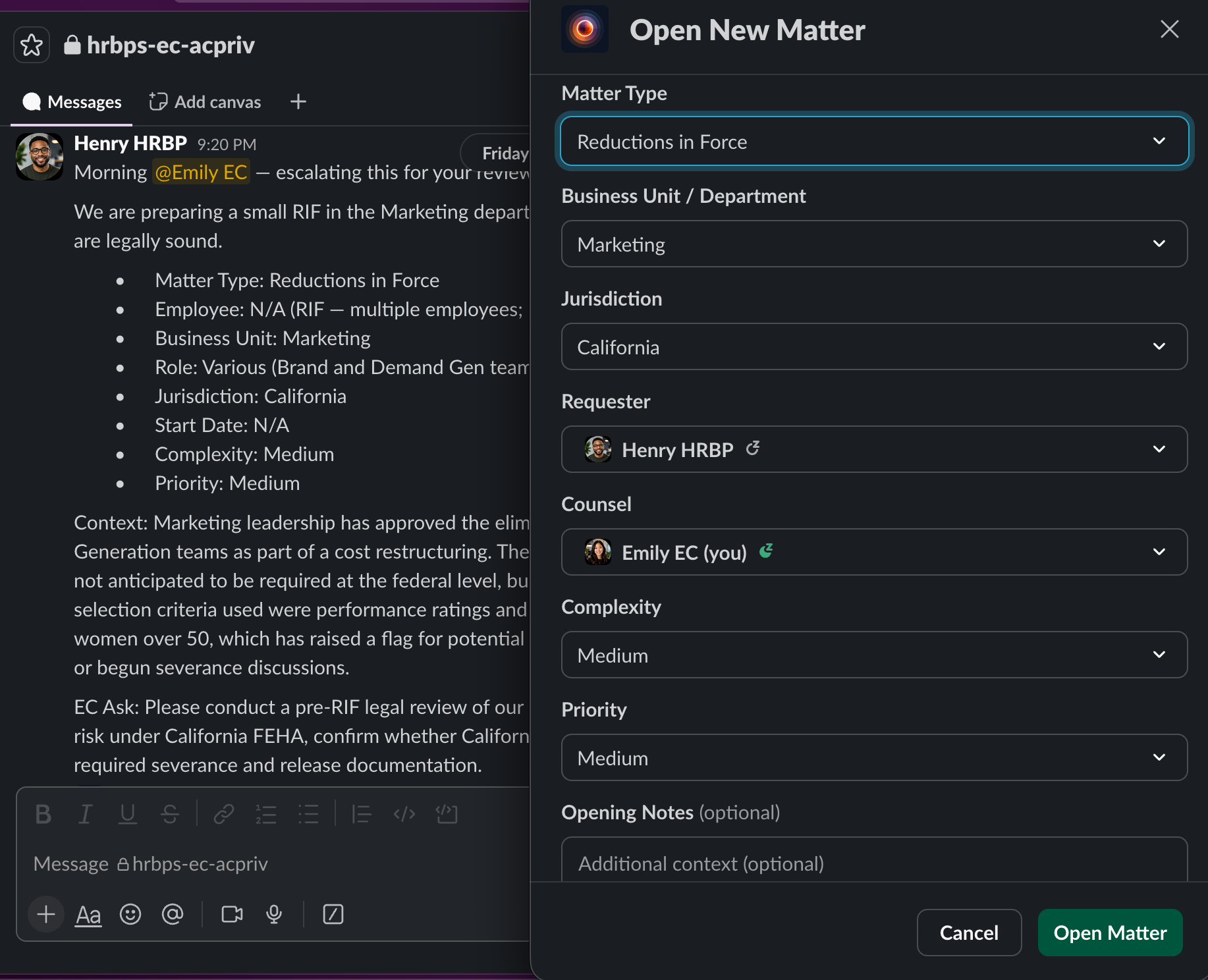
Open Matter modal with auto-populated fields

Open Matter — fields filled in automatically
Works seamlessly with what you already do

No new dashboards to learn, no forms to chase down. Counsltrac fills in the gaps — drafting intake questions, estimating the time you spent working on a closed matter, briefing your team, and keeping matters covered while you're out of the office — automatically.

AI-Generated Intake Questions

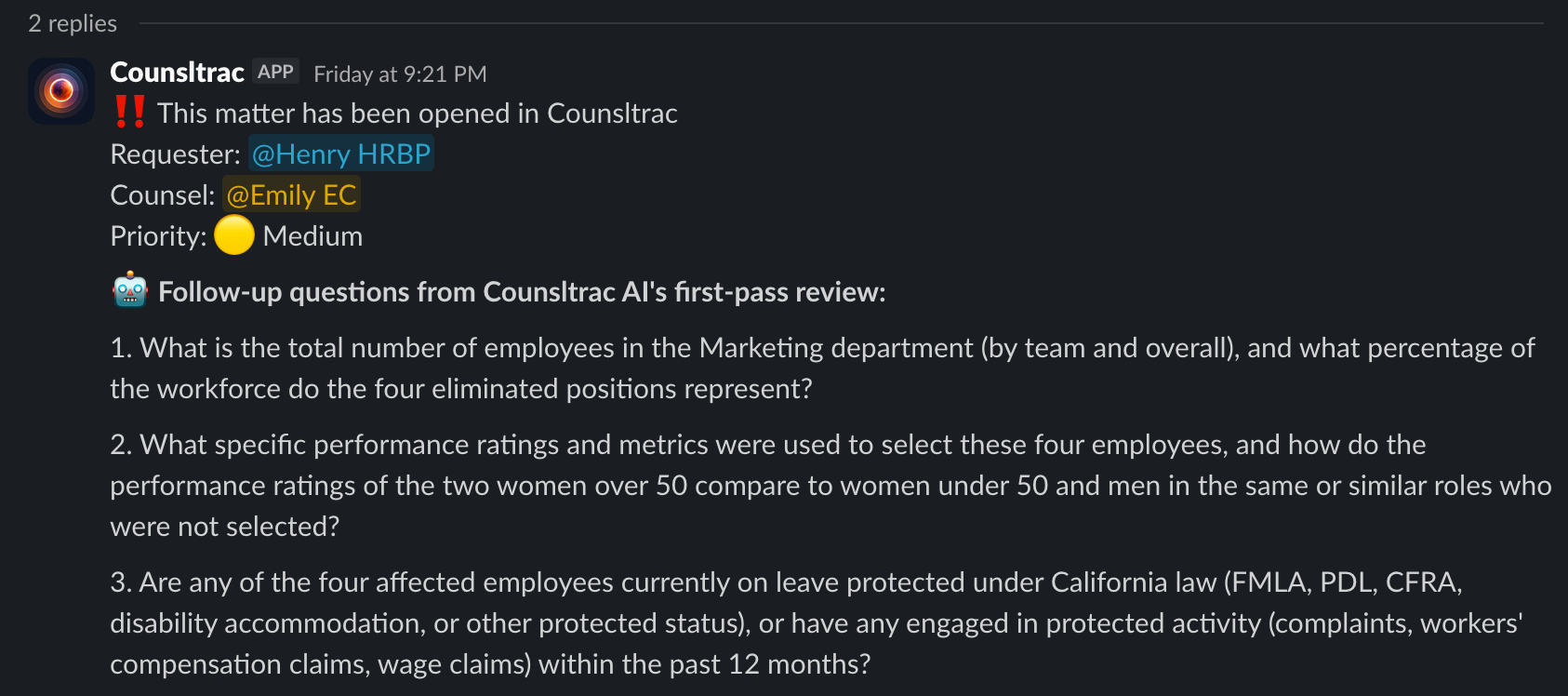
The moment a matter opens, Counsltrac reads the thread and sends back a tailored list of intake questions — the ones an attorney would otherwise have to think up and type out by hand.

AI Hours Estimation at Close

When a matter is closed, Counsltrac reviews the thread and pre-fills an estimated-hours field based on the complexity and back-and-forth involved. The attorney can always adjust it, but no one starts from a blank box.

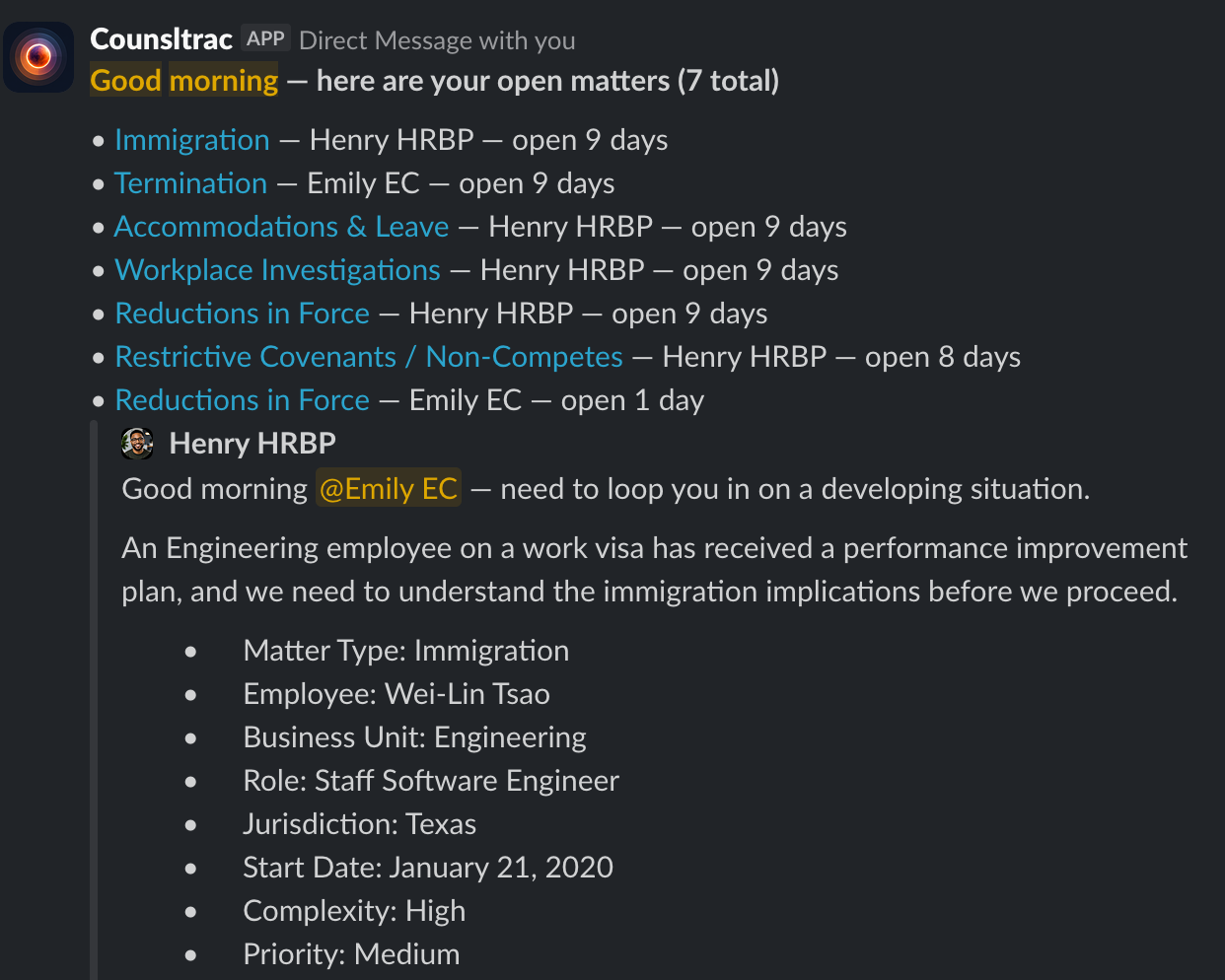
Monday Morning Digest

Every Monday, each attorney gets a direct message listing every open matter assigned to them, with Slack thread links — a ready-made worklist for the week, delivered automatically.

OOO Coverage

Going out of office? Transfer your open matters temporarily to another attorney on your team with just a few clicks. Counsltrac posts a notice in each thread letting everyone know the coverage plan, and hands everything back to you the moment you're ready to go back online.

Zero Setup, Zero Training

No implementation project, no migration, no training sessions. Add Counsltrac to a workspace and the message shortcuts are live immediately, in every channel your legal team already works in.

Counsltrac Monday morning digest showing all open matters with thread links

Monday Morning Digest — a ready-made worklist

AI-generated intake follow-up questions posted in a Slack thread

AI-generated intake questions, posted automatically

Your data, in plain English

Counsltrac turns a plain-English question into the answer, the chart, or the export you need, all in Slack.

Conversational AI, Inside Slack

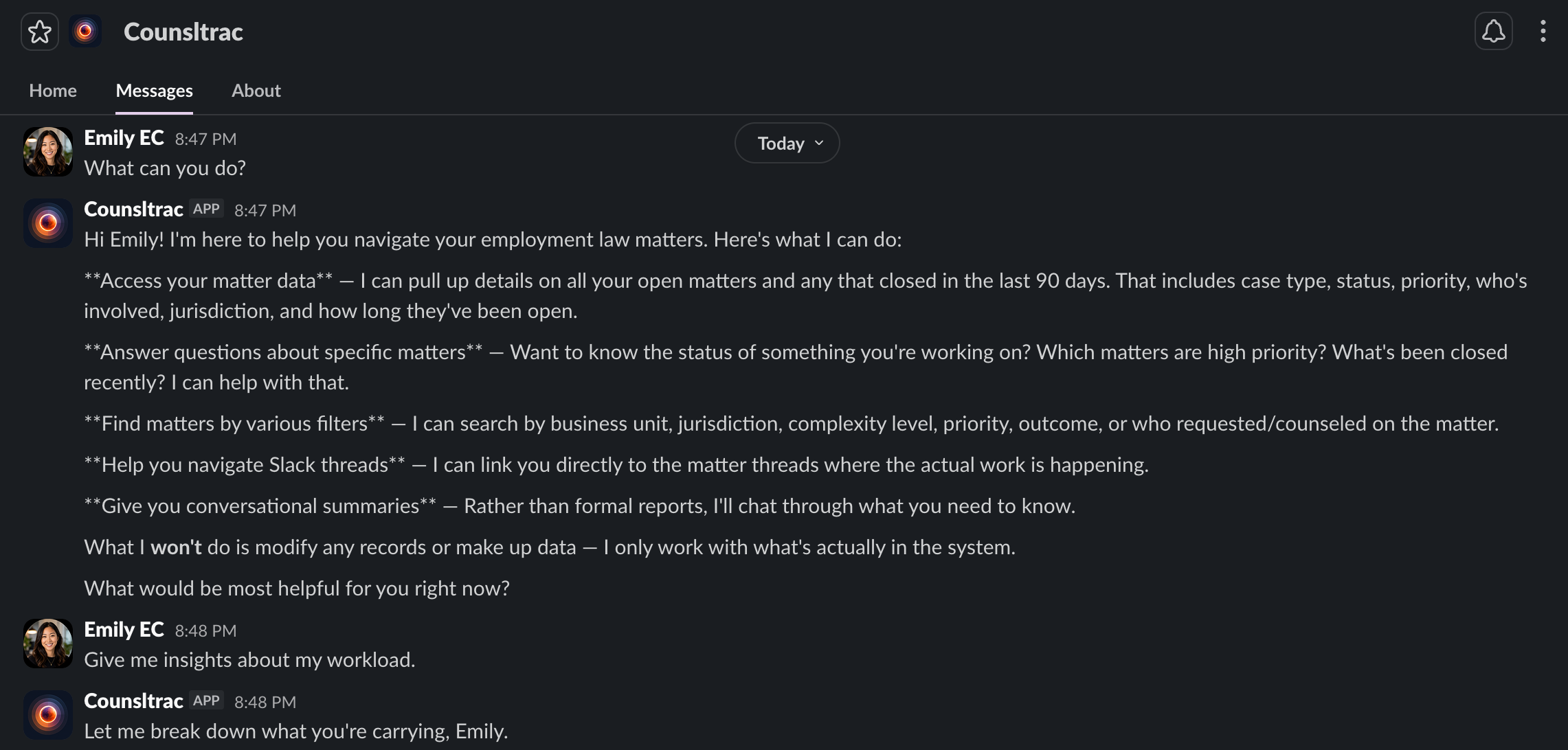
DM Counsltrac and ask anything about your docket in plain English — "What are my high-priority open matters?" "Which matters have been open the longest?" "How many terminations did we handle this quarter?" Counsltrac answers conversationally, using your real matter history.

Charts in Plain English

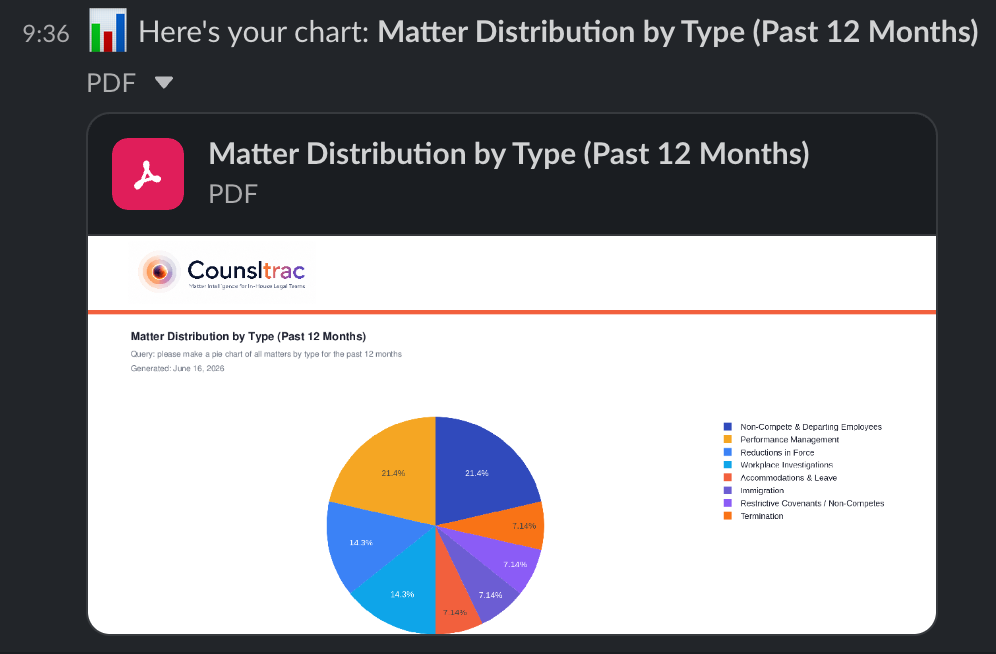
Type /matters chart average time to close by matter type last 30 days — or whatever you need — and get a branded PDF chart delivered privately to your Slack DMs. No filter menus, no chart-building tool to learn.

Exports in Plain English

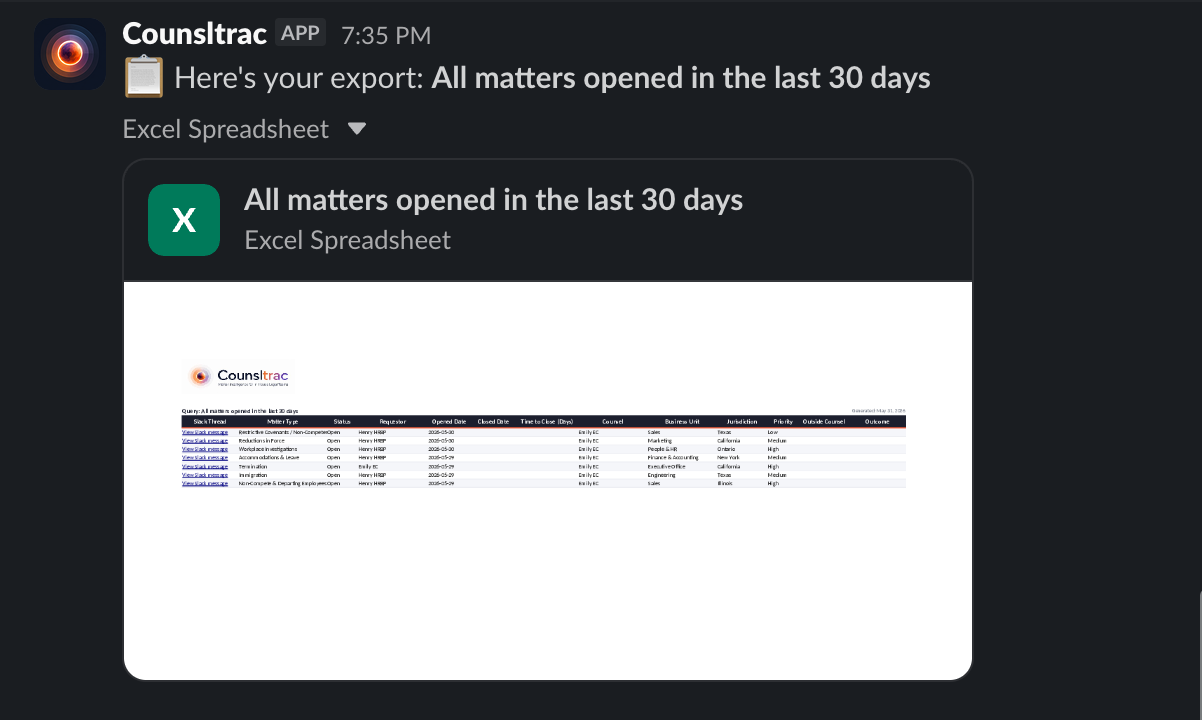
Type /matters export all matters opened this year — or whatever you need — and get an Excel file, delivered privately to your Slack DMs, with every field you need.

AI Chat AI-powered DMs
Counsltrac AI responding conversationally via direct message
/matters chart Branded PDF charts
/matters chart command generating a branded PDF chart of matters by type
/matters export Excel spreadsheet
/matters export generating an Excel spreadsheet of all matters

Built with Privacy & Privilege in Mind

No Second Record of Who or What

The intake form only asks for categorical fields — type, business unit, jurisdiction — never the subject's identity or the underlying facts already sitting in Slack. None of that ever gets saved to the Counsltrac database, so it never becomes a second store of privileged or personal information that would need to be searched and produced in litigation or a records request.

Permissions Scoped to Your Slack Workspace

Counsltrac users can only see the channels and information they already have access to in Slack — with two narrow, workspace-controlled exceptions: designated admins see matter records workspace-wide, and a covering attorney temporarily sees a colleague's matters while covering for them out of office. Neither ever sees the underlying Slack messages in a channel they don't belong to.

You Control the AI

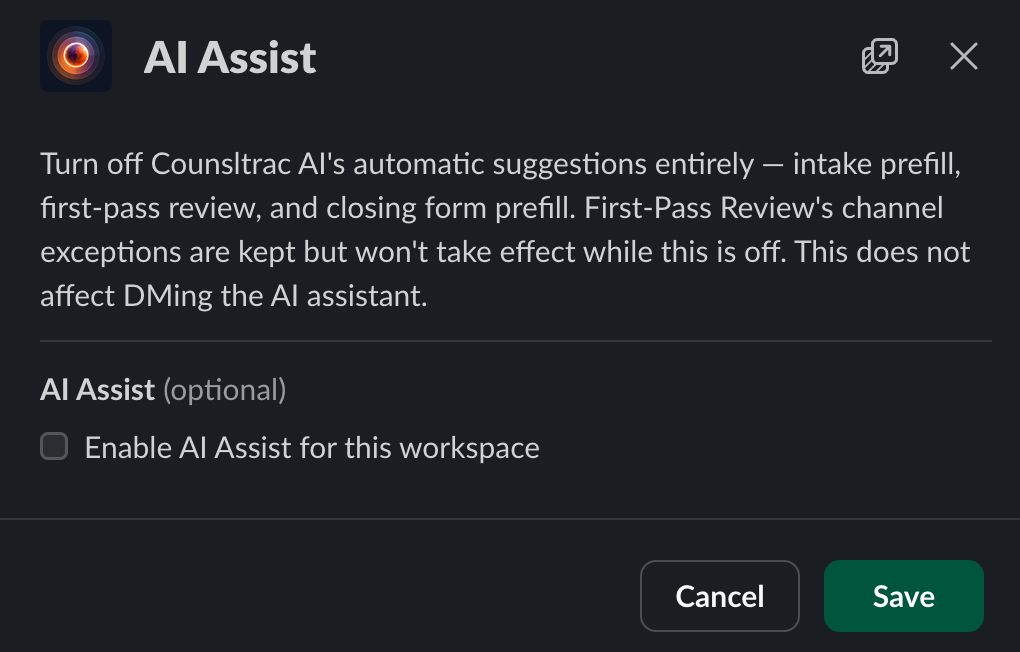
Counsltrac AI's automated suggestions — intake prefill, first-pass review, and closing-form prefill — can be turned off entirely with one workspace-wide switch, or first-pass review alone can be scoped to specific channels. A workspace always decides exactly where that data flow applies.

Your workspace, configured your way

Legal ops shouldn't need a vendor ticket to change a dropdown. Every workspace gets full self-serve control over how Counsltrac behaves — no code, no waiting, no emails to us.

Customizable Option Lists

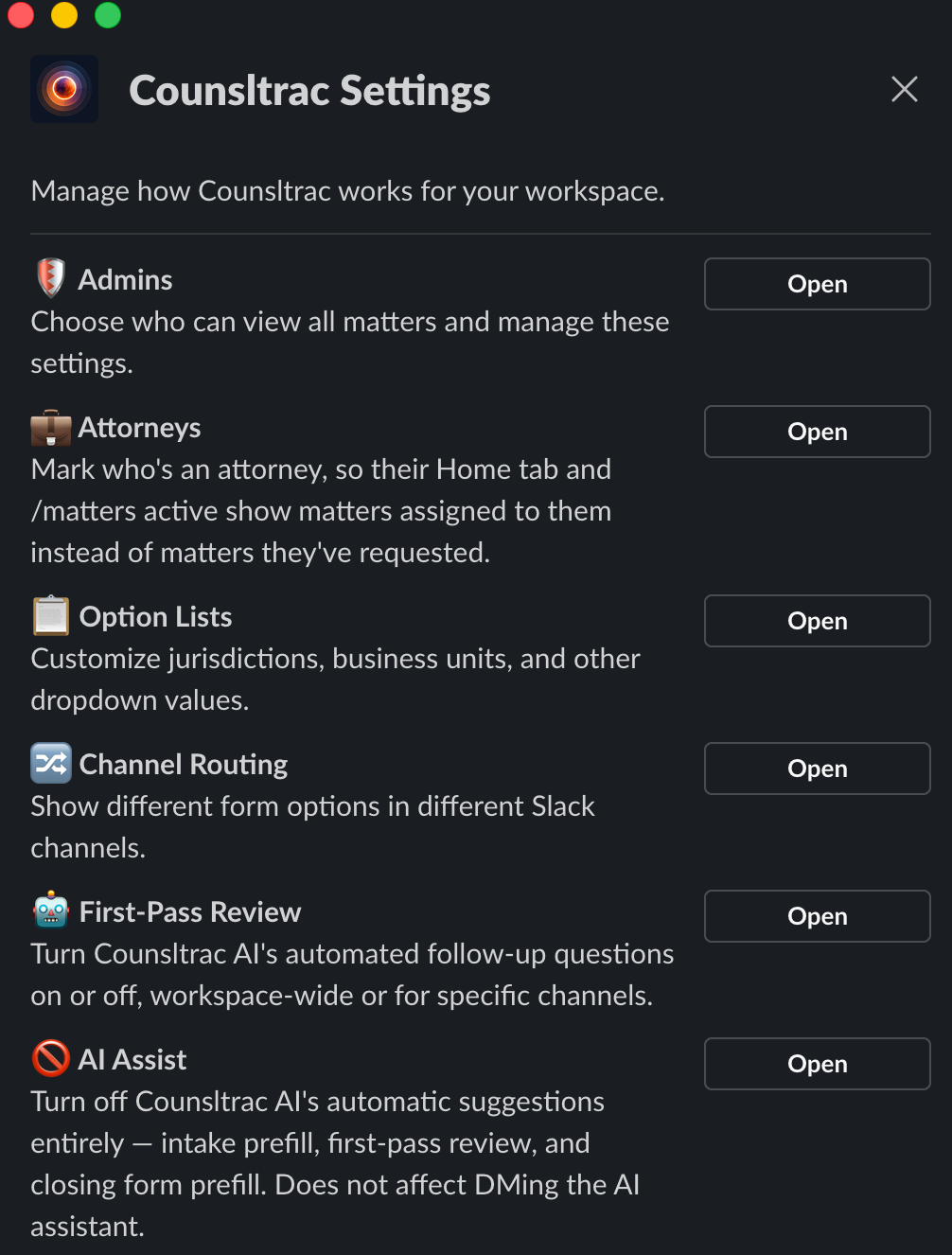
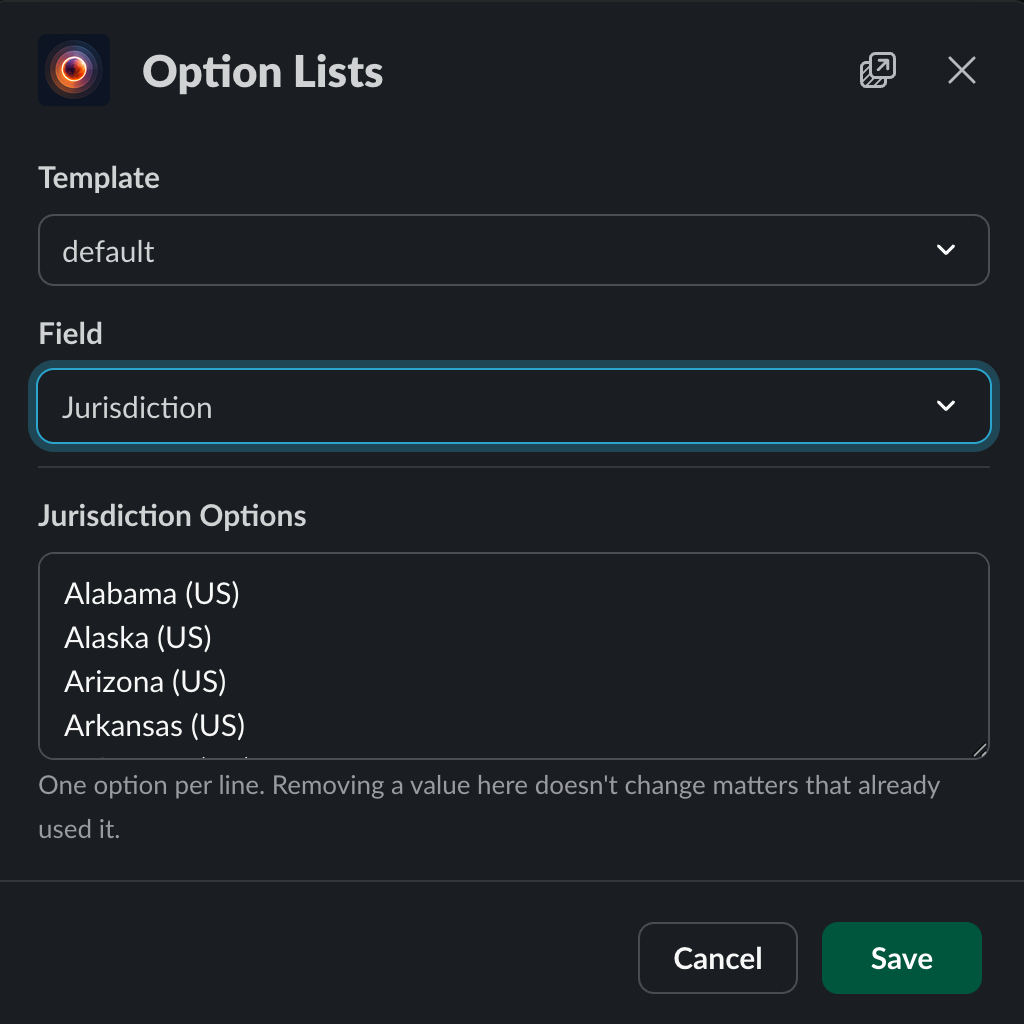
Tailor the dropdown values in your open and close forms — jurisdictions, business units, matter types, and more — to match how your legal team actually categorizes work.

Channel-Specific Forms

Give a recruiting channel its own set of matter types, and a different set for HR or benefits — the same bot, different form options per channel, configured entirely inside Slack.

Turn AI Review On or Off

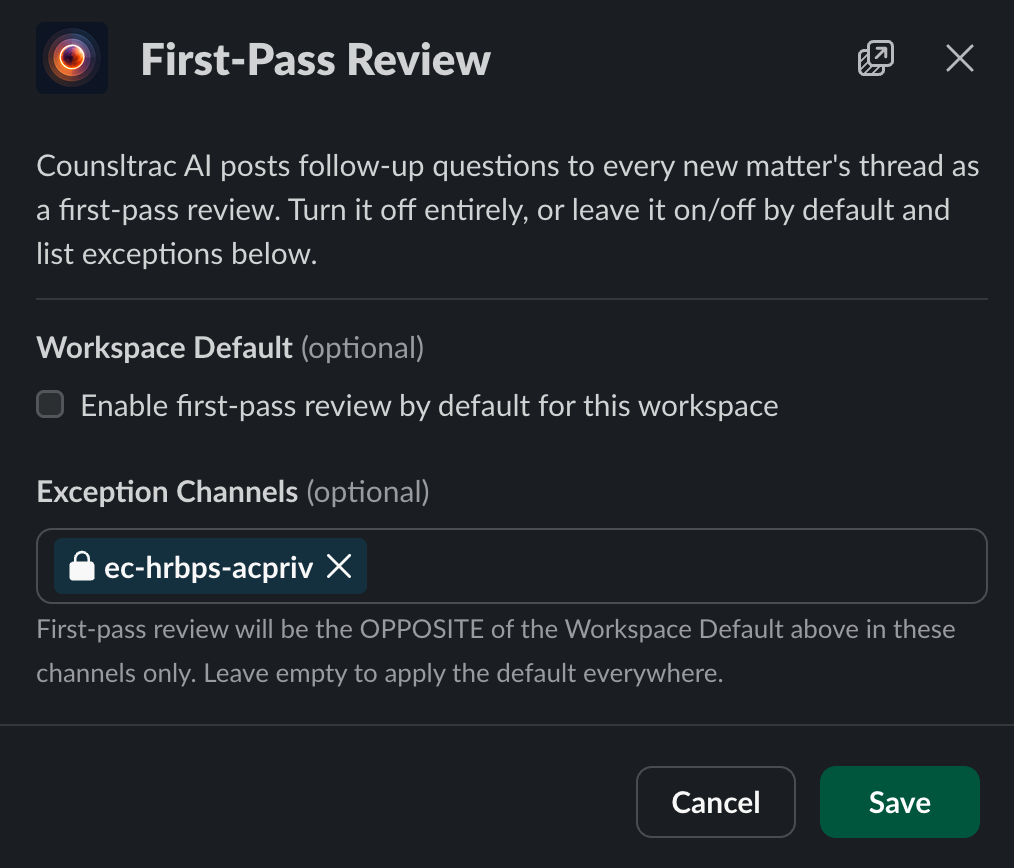
Counsltrac AI's automated follow-up questions are useful, but not every channel needs them. Turn first-pass review off entirely, or leave it on by default and carve out exceptions for specific channels.

Designate Your Own Admins

Choose who can view every matter across the workspace and manage these settings — no separate contract, no waiting on us. Add or remove admins any time, right from Slack.

Attorneys

Designate attorneys for your workspace. Attorneys are able to see all matters assigned to them, while all other users only see the matters they've requested.

One Switch to Turn It All Off

Prefer a fully manual workflow? One workspace-wide switch turns off every automatic AI suggestion — intake prefill, first-pass review, and closing-form prefill — without touching the on-demand AI Q&A, charts, or exports you ask for directly.

Counsltrac Settings menu showing Option Lists, Channel Routing, First-Pass Review, AI Assist, Attorneys, and Admins sections

Settings — every admin control, one tap from the App Home tab

Option Lists editor showing a customized Jurisdiction dropdown

Option Lists — customize any dropdown, workspace-wide or per template

First-Pass Review editor with a workspace default toggle and channel exceptions

First-Pass Review — on by default, off wherever you'd rather it wasn't

AI Assist editor with the workspace-wide master switch turned off

AI Assist — one switch turns off every automatic suggestion, workspace-wide

From Slack message to tracked matter in under 10 seconds.

01

Add to Slack

Install Counsltrac and invite it to the channels where you work. Message shortcuts for opening, closing, and reopening matters appear immediately — no setup screens, no configuration.

02

Open a Matter

Right-click any Slack message and select More Options → Connect to apps → Open Matter. Counsltrac auto populates type, jurisdiction, priority, counsel, requester, and other intake fields — confirm everything looks right, and Counsltrac tracks it from there with AI-powered insights that make your data actionable.

Selecting Open Matter from Slack's Connect to apps message menu

Selecting Open Matter from Slack's message menu

Start tracking matters in seconds

No setup. No migration. Just add Counsltrac to Slack and open your first matter.

Email Us to Add to Slack